
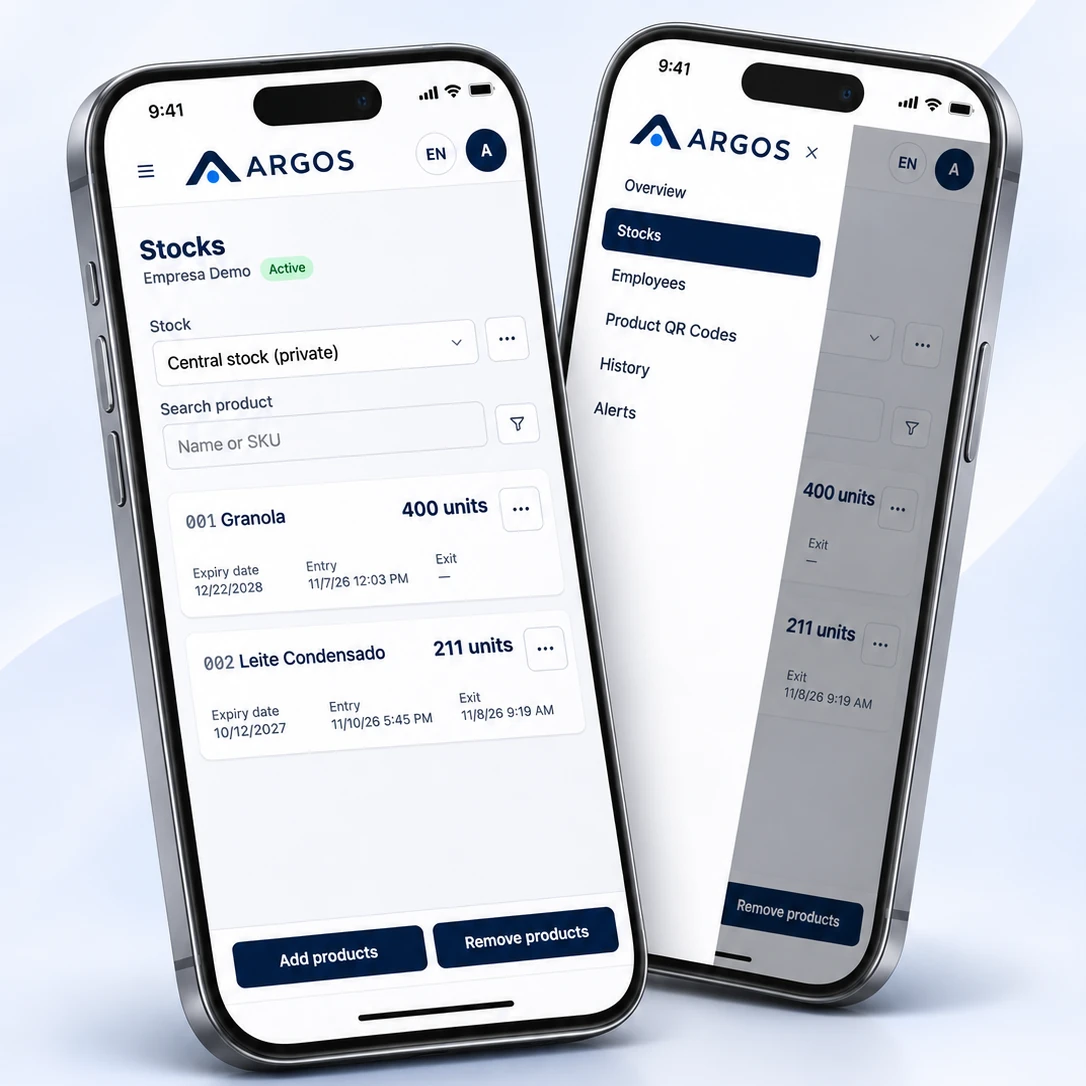
Your inventory always in sight, right in your hand.
Record incoming boxes, track batches and expiry dates, and use what expires first. All on your phone, without spreadsheets or calculation errors.
Features
Everything you need to avoid losing products or money.
Built for teams that receive goods by the box and need to know exactly how many units they have, where they are and when they expire.
Bulk intake
Enter the number of boxes and the system converts them to units automatically. No calculator needed.
Batches, expiry dates and alerts
Each batch has its own balance and expiry date. Set alerts for products nearing expiry or running low.
Smart stock removal (FEFO)
What expires first goes out first. A single removal can draw from multiple batches.
Central → Operational
Move stock from central storage to daily use in a single step.
A history that stays
See who did what, how much and when. Corrections are recorded as adjustments with a reason, never as edits.
Quick search and QR codes
Find products by name, product code or QR code.
Counting in units
Goods arrived? Count boxes, not units.
Each product stores its units per box. Enter the boxes and the balance stays accurate in units.
How it works
From delivery to stock removal in three steps.
Register and receive in Central
Each product gets a code (001, 002…) and a quantity per box. Enter boxes, batch and expiry date; Central records everything in units.
Transfer for daily use
Move only what is needed to Operational. Both sides are recorded.
Remove stock on your phone
Your team records the removal and the system chooses the batch that expires first.
Team
Everyone sees what they need.
Role-based permissions are checked on the server. No one can access another company’s data.
Full control
- Manages Central and Operational stock
- Adds products and records incoming stock
- Makes transfers and adjustments
- Reviews the complete history
Fast in everyday work
- Accesses Operational stock
- Records removals in a few taps
- Checks balances and expiry dates
- Every action is recorded with the user’s role
Questions
Frequently asked questions
Do I need to install an app?
No. Argos opens in your phone’s browser and can be added to the home screen, where it works like an app.
What if someone records the wrong quantity?
Movements cannot be edited or deleted. Corrections use a positive or negative adjustment with a required reason, keeping the history transparent.
Can stock go negative?
No. The system blocks removals above the available balance, even when several people record movements at once.
Is my data separated from other companies?
Yes. Each company’s data is isolated, and access is checked directly in the database.
Will Argos alert me when something needs attention?
Yes. You can set alerts for products nearing expiry or running low, and Argos notifies you when the condition occurs.
Ready to organize your inventory?
Get in touch to start using Argos at your company.